If you buy through retail links on Ember & Edge, we may earn an affiliate commission at no additional cost to you. How affiliate partnerships support our site
Bringing a laser cutter machine onto your workbench changes how you build prototypes, personalize wood and acrylic goods, or produce custom signage. However, navigating the desktop laser market can be confusing. Listings often blur the lines between machine input wattage and actual optical output power, or present open gantry frames alongside fully enclosed Class 1 desktop units with vastly different safety requirements.
Whether you need a compact open-frame engraver for occasional workshop personalization or a fully enclosed rig with built-in air assist for indoor desktop cutting, choosing the right machine comes down to realistic material expectations, optical beam power, workspace enclosure, and surface protection.
Bench Rule of Thumb: Input Power vs. Optical Output
Diode laser machines are frequently advertised with numbers like "40W," "80W," or "10W." Always distinguish total electrical power consumed from the true optical laser output. A 10W to 20W optical diode beam can cut thin craft woods, basswood, and dark acrylics over single or multiple passes, whereas lower wattage diodes (5W–6W) excel primarily at fine surface engraving and marking.
What to Look for in a Desktop Laser Machine
Before examining specific rigs, keep four core decision criteria in mind:
- Optical Laser Wattage: Optical power dictates cutting speed and maximum material thickness. For cutting 3mm to 6mm craft plywood or dark acrylics cleanly in fewer passes, a 10W to 20W optical module offers significantly more headroom than an entry-level 6W module.
- Chassis Architecture (Enclosed vs. Open-Frame): Open-frame machines offer spacious working zones at lower entry costs, but they require dedicated laser safety goggles for everyone in the room and strict exhaust management. Enclosed units contain smoke, direct optical radiation behind filtering acrylic hoods, and simplify benchtop ventilation.
- Assisted Cutting & Optics Protection: Air assist pumps blow away combustion gases and charring at the focal point, resulting in cleaner kerfs while preventing soot from clouding the laser lens.
- Bed Support & Backing: Firing a laser directly onto a desktop will ruin your surface. A metal honeycomb bed or slatted cutting platform elevates the workpiece, allowing smoke to vent downward and preventing underside backflash burns.
Featured Desktop Laser Cutters & Workshop Gear
Below are desktop options spanning fully enclosed smart units, standalone open-frame rigs, and essential laser bed protection based on seller specifications and listing data.

1. TOOCAA NOVA 20W Enclosed Desktop Laser
The TOOCAA NOVA is marketed as an enclosed desktop machine built with plug-and-play operation in mind. Listed with a 20W optical module, autofocus, smart air assist, and an integrated monitoring camera, it targets hobbyists and makers who want a self-contained unit rather than an exposed rail frame.
- Form Factor: Fully enclosed desktop unit featuring an orange filtered protective lid and rear interface ports.
- Claimed Power & Features: 20W stated laser output, autofocus mechanism, internal camera alignment, and an external air assist pump pictured in product collateral.
- Best Suited For: Users operating in shared home workshops, garages, or maker spaces who prioritize an enclosed footprint and integrated optical shielding over expansive modular framing.
- Things to Verify: Confirm with the seller what software is supported out of the box (e.g., LightBurn compatibility or dedicated proprietary apps), and ensure exhaust hose fittings match your indoor venting arrangement.

2. TOOCAA L2 20W Enclosed AI Laser Engraver
Sharing the brand family, the TOOCAA L2 provides an alternate enclosed footprint advertised with Class 1 laser safety characteristics, AI camera capabilities, and a 20W laser module designed for wood, acrylic, leather, and MDF cutting.
- Chassis Design: Boxed enclosure with wrap-around tinted acrylic panels and an integrated exhaust fan port visible on the rear wall.
- Core Stated Capabilities: 20W optical diode power suited for cutting sheet goods and detailed line engraving; listed as beginner-accessible with safety enclosure panels.
- Best Suited For: Craft studios needing an all-around 20W cutting unit where dust, fume control, and eye protection take priority over lightweight portability.
- Things to Verify: Clarify the internal cutting bed dimensions and whether pass-through slots exist for longer workpieces before placing material orders.
3. ATOMSTACK A10 10W Desktop Laser Machine
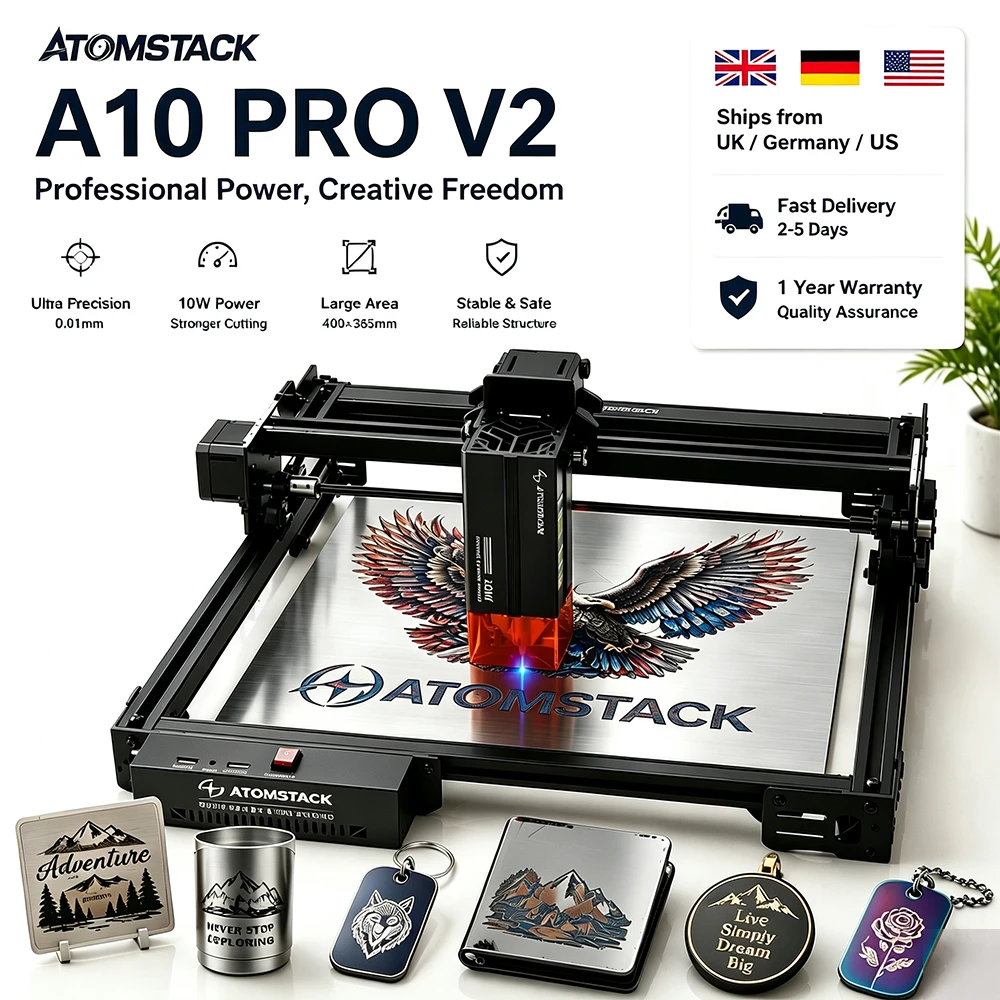
The ATOMSTACK A10 represents the classic open-frame gantry platform. Featuring dual-rail aluminum extrusions, exposed stepper belts, and a 10W optical diode head, it offers a budget-conscious, modular layout popular among DIY builders.
- Design: Open gantry CNC frame offering a stated 400x365mm cutting envelope in product images, with an eye-shielding filter hood on the module itself.
- Power & Compatibility: 10W optical laser module; listed as compatible with common laser control software such as LightBurn and LaserGRBL.
- Best Suited For: Workshop woodworkers, tinkerers, and crafters with dedicated garage spaces who want accessible working dimensions without paying the premium for an integrated outer box.
- Safety Notice: Open-frame machines scatter reflected light. Laser safety glasses certified for the specific diode wavelength (commonly ~450nm for blue diodes) are necessary for anyone present during operation.
4. ELIDOR Z6 6W/12W CNC Diode Laser Engraver
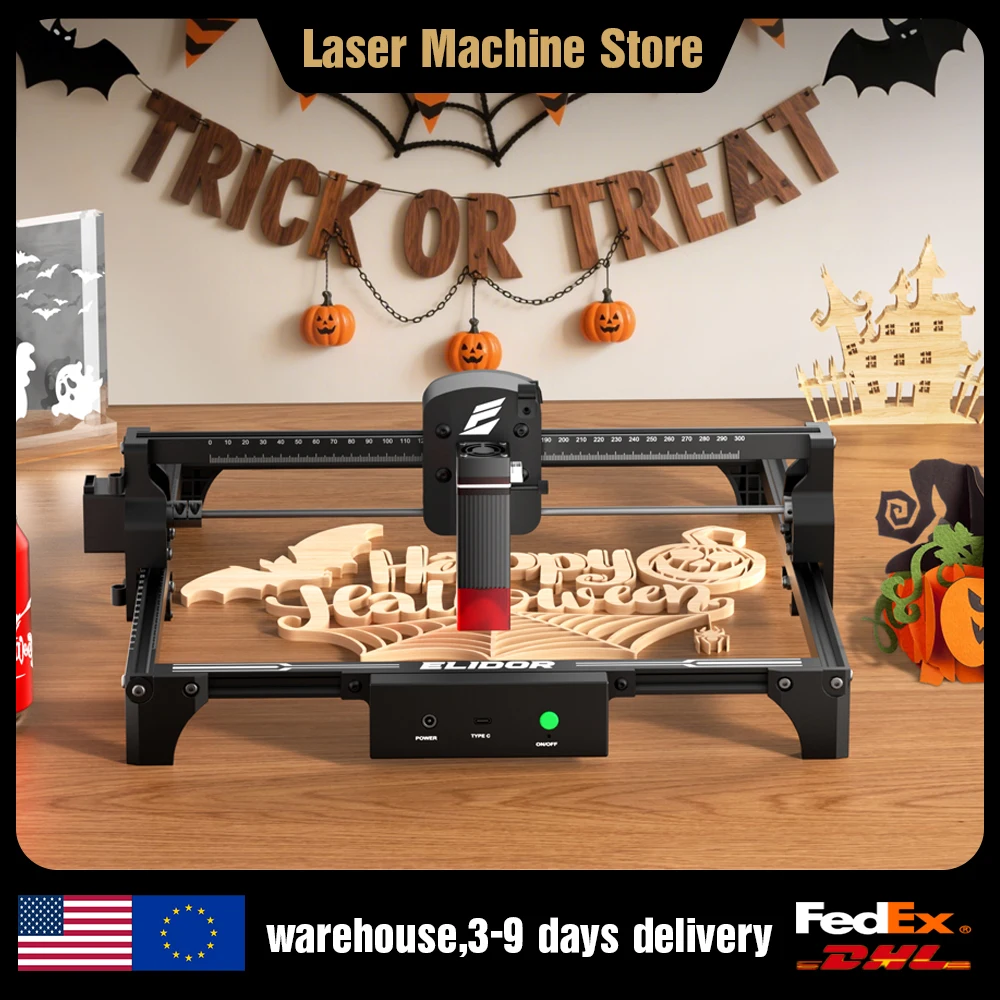
Positioned as an accessible entry point, the ELIDOR Z6 utilizes a compact open aluminum chassis with a stated 300x300mm working area. Available in dual nominal wattage variants (6W/12W), it caters to basic marking, craft detailing, and light cutting.
- Format: Low-profile open gantry with front switch panel, USB Type-C connector, and a blue diode module.
- Working Envelope: Stated 300x300mm bed area, suitable for coasters, small plaques, leather patches, and compact craft shapes.
- Best Suited For: Beginners testing the waters of laser engraving or small-scale sign crafting on a tighter initial budget.
- Things to Verify: Check the exact module wattage (6W vs. 12W) selected in your cart, as optical output governs cutting speed and maximum single-pass depth.

5. AlgoLaser 450x450mm Honeycomb Work Table
Cutting through wood or sheet plastic directly on an untreated work table leaves scorching on your bench and backflash smoke marks along the underside of your piece. A dedicated support surface like the AlgoLaser Honeycomb Work Table is an indispensable supporting accessory.
- Construction: 450x450mm external footprint with an open cellular grid and an included aluminum backer plate pictured to protect the underlying tabletop from stray beam energy.
- Function: Lifts sheet goods off the base, encouraging smoke to pull cleanly through the kerf and dramatically reducing backside burns.
- Compatibility: Accommodates standard gantry frames measuring up to 400x400mm or smaller enclosed interiors. Confirm internal clear dimensions of your machine before purchasing.
Open-Frame vs. Enclosed Laser Cutters: Feature Comparison
The table below summarizes key attributes advertised by respective sellers across these featured setups. Note that specific cutting depths and speeds depend heavily on materials, feed rates, and focal accuracy.
| Machine / Item | Architecture | Stated Power | Claimed Work Area | Primary Consideration |
|---|---|---|---|---|
| TOOCAA NOVA | Enclosed Desktop | 20W | Compact benchtop | Built-in camera, autofocus & filtered lid |
| TOOCAA L2 | Enclosed Desktop | 20W | Large area (per title) | Class 1 safety housing for indoor makers |
| ATOMSTACK A10 | Open Gantry Frame | 10W | 400x365mm (pictured) | Budget flexibility; requires room eye protection |
| ELIDOR Z6 | Open Gantry Frame | 6W / 12W variant | 300x300mm | Entry-level craft marking & light wood cuts |
| AlgoLaser Honeycomb | Laser Bed Support | N/A (Passive accessory) | 450x450mm | Prevents charred undersides & workbench damage |
Essential Safety and Setup Tips for Beginners
Working with high-intensity laser energy requires a disciplined workspace setup. Regardless of the machine you purchase, follow these fundamental safety practices:
- Venting Fumes Outside: Laser processing produces fine particulate matter and airborne organic compounds. Enclosed units should be vented through an exterior window via flexible ducting, while open machines must only be operated in high-ventilation workshops or under dedicated fume extraction hoods.
- Never Cut PVC or Vinyl: Materials containing chlorine, such as polyvinyl chloride (PVC) and vinyl, release toxic hydrogen chloride gas when hit by a laser. This gas destroys human lungs and severely corrodes machine guide rails and wiring. Always verify that your sheet stock is laser-safe.
- Match Eye Protection to Wavelength: If operating an open-frame diode laser, always wear protective eyewear certified for 400nm–455nm light. Standard tinted sunglasses offer zero protection against focused or scattered coherent laser beams.
- Never Leave a Laser Unattended: Fires can ignite rapidly if an axis binds, belts slip, or material catches a sustained flare-up. Keep a certified fire extinguisher (such as CO2 or dry chemical) within arm's reach of your bench.
Frequently Asked Questions
Can a 10W or 20W diode laser cut through clear acrylic?
Standard blue diode lasers (typically operating around 445–455nm wavelength) pass straight through transparent or clear acrylic without heating or vaporizing the material. Diode lasers cut opaque, dark, or tinted acrylics effectively. Cutting clear sheet acrylic cleanly generally requires a CO2 laser operating at a 10,600nm wavelength.
What software do desktop laser cutters use?
Most desktop diode engravers rely on standard GRBL firmware controllers. Free programs such as LaserGRBL (Windows) handle basic engraving, while LightBurn (cross-platform) serves as the industry standard for multi-layer vector cutting, kerf offsetting, and camera alignment. Verify your chosen machine's controller compatibility before buying third-party software licenses.
Is an air assist pump really necessary?
While not strictly necessary for shallow raster engraving on slate or stainless steel tags, air assist is vital for through-cutting. A steady stream of compressed air clears ash, cools the cut channel, minimizes charring, and prevents smoke from coating the laser lens.
Buyer Verification Note: Product specifications, inclusions (such as honeycomb plates, safety glasses, or air pumps), and regional plug configurations vary across marketplace variants. Always inspect the exact SKU selection, power ratings, and delivery destination options directly on the seller page prior to ordering.
Evaluation is based on published specifications and seller listings. No physical or hands-on testing was conducted; unlisted specifications may still be available from the seller.